
 GuessPick Team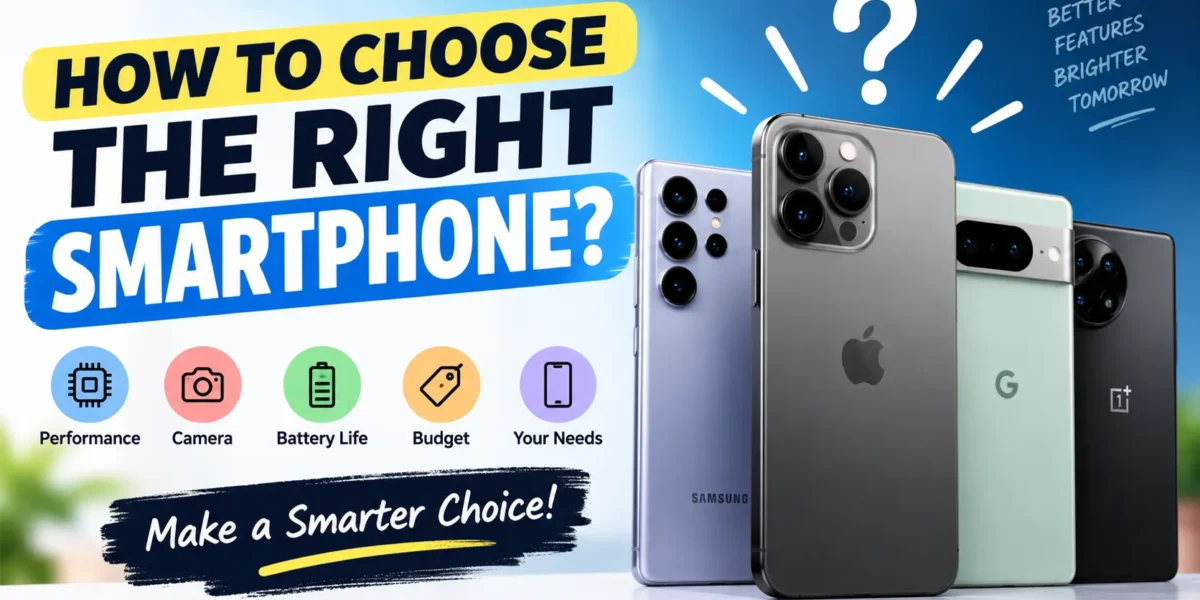
Written by the GuessPick Editorial Team | Last updated: August 2026
How we made this guide: We do not test phones ourselves in a lab. This guide is based on common buying factors used by trusted tech reviewers, official spec sheets, and years of watching how real buyers make (and regret) phone purchases. We do not invent specs, prices, or reviews. Where facts change often, like “best phone” rankings, we tell you that clearly instead of guessing.
Buying a new phone should not feel confusing. New models come out all year. Ads and “best of” lists make big claims. It is easy to feel stuck.
This guide keeps it simple. It covers the things to consider before buying a smartphone that really matter in daily life: budget, battery, storage, and long-term value. It skips the hype.
This guide is for everyone: first-time buyers, people upgrading an old phone, or anyone helping a family member choose and how to choose the right smartphone.
Things to Consider Before Buying a Smartphone
Before you compare phone models, use this simple checklist. Good choices start with knowing your own needs, not chasing the “best” phone on paper.
1. Set Your Budget First
Pick a price range before you start looking. This one step cuts out most of the noise. Phones at higher prices offer better cameras and faster chips. That is fine if you do not need those things.
2. Think About How You Use Your Phone
Ask yourself:
- Do I take a lot of photos and videos?
- Do I play games or run many apps at once?
- Do I care more about battery life than speed?
- Do I want a small phone or a big screen for reading and video?
Your daily habits should guide your choice, not the spec sheet.
3. Pick an Operating System: iPhone or Android
If you already own a laptop, tablet, or smartwatch, staying in the same brand family often makes things easier to use together. You can switch brands, but it takes a little time to learn a new system.
4. Think About How Long You Want to Keep the Phone
Some brands support phones with updates for many years. Others stop sooner. A phone with no more security updates is not safe to use, even if it still works fine. If you plan to keep your phone for years, this matters a lot.
5. Check That the Phone Works With Your Carrier
Before you buy, make sure the phone works with your mobile carrier and supports 5G in your area if you need it. This matters most when buying an unlocked or imported phone. Go our latest guides.
Phone Features to Consider: iPhone vs Android
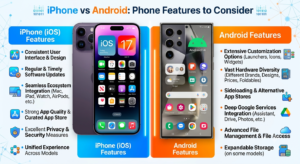
One of the first big choices is iPhone or Android. Neither one is simply “better.” Each fits different needs.
| Factor | iPhone (iOS) | Android |
|---|---|---|
| Software updates | Long update support on most models | Varies by brand; top models now offer many years, cheaper ones offer less |
| Customization | Simple, fixed layout | You can change more settings and how the screen looks |
| Works well with other devices | Best with Mac, iPad, Apple Watch | Best within the same brand’s other devices |
| Price range | Mostly mid to high price | Sold at every price, from cheap to very expensive |
| Apps | New apps often arrive here first | Works on the widest range of devices |
| Phone styles | Fewer choices per year | Many screen sizes and shapes, including folding phones |
Why this matters: Picking the wrong system can cause daily frustration. You may lose features you were used to, or your accessories may not work. If you are already tied to one brand’s other devices, think hard before switching.
Other Features Worth Checking
- Screen and refresh rate: A higher refresh rate (90Hz or 120Hz) makes scrolling feel smoother. This helps most if you play games or scroll a lot.
- Camera: More camera lenses do not always mean better photos. How the phone processes the photo often matters more than the number on the box.
- Build and water resistance: Look for an official IP rating. This is a tested standard, not just a marketing word.
- Face or fingerprint unlock: Both work well today, but speed and placement differ by phone. Try it in person if you can.
Battery Life and Charging Speed: Why It Matters
Poor battery life is one of the top reasons people regret a phone purchase. The spec sheet does not always tell the full story.
Bigger Battery Does Not Always Mean Longer Life
A bigger battery (measured in mAh) often helps, but real battery life also depends on the screen and how well the software manages power. Two phones with the same battery size can last very different amounts of time.
What to check:
- Look for real-world battery tests from trusted reviewers, not just the brand’s own claims.
- Check “screen-on time,” not just standby time.
What Charging Speeds Mean for You
| Charging Type | Best For | Why It Matters |
|---|---|---|
| Standard wired charging | Charging overnight | Slower, but reliable |
| Fast wired charging | Quick top-ups before you leave | Saves real time on busy days |
| Wireless charging | Easy top-ups at your desk or nightstand | Slower than fast wired charging, but no cable needed |
| Reverse wireless charging | Charging earbuds from your phone | A nice extra, not a main feature |
Why this matters: If you often have little time to charge, fast charging matters more than a slightly bigger battery. Check if the fast charger is even included in the box, since many brands now sell it separately.
Storage and RAM Guide: How Much Do You Need?
how to choose the right smartphone with Storage and RAM are easy to get wrong. Here is a simple guide based on how you use your phone.
| How You Use Your Phone | Storage You Need | RAM You Need |
|---|---|---|
| Calls, texts, social media, light use | 64GB–128GB | 4GB–6GB |
| Photos, streaming, several apps at once | 128GB–256GB | 6GB–8GB |
| Big games, 4K video, heavy multitasking | 256GB or more | 8GB–12GB |
| Content creation or work use | 256GB–512GB or more | 12GB or more |
Why this matters:
- Storage fills up faster than most people expect, especially with photos and videos. If the phone has no memory card slot, buy more storage than you think you need.
- RAM affects how many apps you can run at once without slowing down. If you often switch between apps, choose more RAM over a small storage upgrade.
Budget-Friendly Phone Options: How to Shop by Price
Instead of trusting a “best phones under [price]” list, since these change often as new phones launch, it helps more to know what to expect at each price level.
| Price Level | What You Get | What to Watch For |
|---|---|---|
| Entry-level | Basic speed, decent battery, simple camera | Slower updates, weaker photos in low light |
| Mid-range | Good balance of speed, camera, and screen | Can feel close to a flagship for daily use |
| Premium | Strong speed, better camera, better build | You may pay more for small gains |
| Flagship | The best chip, camera, and screen available | Highest price; worth it only if you will use the extra features |
A useful tip: The biggest jump in real-world speed is usually between entry-level and mid-range phones. Going from mid-range to flagship often costs a lot more for a smaller improvement in everyday use.
Prices and models change every month. Treat any “best under $X” list, including ones on this site, as a starting point. Always check the current price and specs before you buy.
If you want to explore more smartphone options, check out Samsung’s latest smartphones.
How to Compare Phone Reviews and Ratings
Not every review is trustworthy. Knowing how to read them is just as important as reading them.
Signs of a Trustworthy Review
- Many verified buyers: A rating from thousands of real, verified buyers is more trustworthy than a few reviews.
- Long-term use reports: First impressions can miss problems like battery wear or bugs that show up after weeks of use.
- Independent testing: Reviews from known tech sites that run the same tests on every phone (battery, camera, speed) tend to be more fair than brand-paid content.
- Both good and bad points: A real review usually mentions some downsides too.
Warning Signs
- A wave of similar reviews posted right after launch
- Star ratings with no written details
- Reviews that only talk about the box and design, not daily use
Best Phones 2026: How to Use “Best Of” Lists the Right Way
“Best phones 2026” is one of the most searched phrases every year. But it can be misleading. New phones launch all year, and prices change often. A phone that topped a list in January may cost less or be replaced by summer.
Use these lists as a starting point, not a final answer. Then use the checklist in this guide, covering budget, daily use, battery, storage, and update support, to find the phone that is right for you.
Quick Buying Checklist
Before you buy, check that you have how to choose the right smartphone:
- [ ] Set a budget that fits the features you actually need
- [ ] Picked a system (iPhone/Android) that fits your other devices and habits
- [ ] Checked battery life and charging speed against your daily routine
- [ ] Matched storage and RAM to how you really use your phone
- [ ] Checked how many years of software updates the phone will get
- [ ] Read reviews from more than one trusted, verified source
- [ ] Confirmed the phone works with your carrier and network
- [ ] Checked the warranty and return policy
If you’re looking for a low-priced smartphone, you can also check out the Realme C30s, an affordable option for basic everyday use.
Frequently Asked Questions
1. What are the most important things to consider before buying a smartphone? Your budget, how you use your phone each day, battery life and charging speed, how much storage and RAM you need, and how long the phone will get software updates. These matter more than headline specs like camera megapixels.
2. Is iPhone or Android better? Neither is better for everyone. It depends on your needs. iPhones tend to get longer, steadier updates and work well with other Apple devices. Android offers more choice in price, design, and settings you can change. The right pick depends on what devices you already own and how much control you want.
3. How much RAM and storage do I need? For calls, texts, and browsing, 4–6GB RAM and 64–128GB storage is enough. For photos, streaming, and running several apps, aim for 6–8GB RAM and 128–256GB storage. For gaming, heavy multitasking, or work use, look for 8GB or more RAM and 256GB or more storage. how to choose the right smartphone.
4. Does a bigger battery always mean better battery life? No. Battery life depends on battery size plus how well the screen and software use power. A phone with a smaller battery but smarter power use can last longer than one with a bigger battery and less efficient parts.
5. What charging speed should I look for? It depends on your routine. If you charge overnight and rarely need a quick top-up, standard charging is fine. If you often need power fast before leaving the house, look for fast wired charging, and check if the right charger is included in the box.
6. How do I find the best phone under my budget? First, know your price range. Then compare current phones in that range using the checklist in this guide, covering battery, speed, camera, and update support, instead of relying only on a “best under [price]” list, since these change often as new phones launch.
7. Are expensive flagship phones worth the extra cost? Only if you will actually use the extra features, such as a top camera, a smoother screen, or better build materials. For everyday use like calls, texting, and browsing, mid-range phones often feel almost the same.
8. How can I tell if phone reviews and ratings are trustworthy? Look for reviews from many verified buyers, favor reviews written after weeks of real use, and be careful of reviews that only list good points with no downsides at all.
Final Thoughts
The right phone is not the one with the highest specs or the most stars. It is the one that fits your budget, your daily habits, and how long you plan to keep it. Use the checklist and tables in this guide, then apply them to whatever phones you are looking at right now.
This guide is written and checked by the GuessPick editorial team for accuracy and clarity. We do not accept payment to rank any brand or model higher. If you spot an error or outdated fact, please let us know so we can fix it.
Hi, this is a comment.
To get started with moderating, editing, and deleting comments, please visit the Comments screen in the dashboard.
Commenter avatars come from Gravatar.