
 GuessPick Team
When you’re playing BGMI and are just three kills away from a “Chicken Dinner,” only for the game to suddenly freeze for two seconds, realize that the issue isn’t your aim or your phone, the real culprit is the path your data takes to reach the game server. Sometimes, your ISP selects a congested or roundabout route, causing lag.
A good VPN or booster routes this data through a shorter, clearer path, reducing lag and ensuring smooth gameplay. This guide will tell you which VPNs and boosters actually work in real matches and how to choose the right one for your playstyle.
Note:- If you are short on time, the best booster for PUBG to ensure low ping is and for a free option, ProtonVPN is the best choice.
Sources of Best VPN for BGMI
- WireGuard vs. OpenVPN: Which VPN Protocol Should You Use? — Private Internet Access
- WireGuard vs OpenVPN: 7 Key Differences in 2026 — CyberInsider
- WireGuard vs OpenVPN Comparison — ProPrivacy
- NordVPN verifies no-logs claim for the fourth time — NordVPN
- Do VPNs Stop or Prevent DDoS Attacks? — Security.org
- How to Prevent DDoS Attacks While You’re Gaming — PIA VPN
- Best VPN for DDoS Protection in 2026 — Cloudwards
- BGMI Relaunch — CyberPeace
- PUBG VPN Ban Fix 2026 — VPN Expert Guide
Quick Verdict: Best BGMI VPNs at a Glance
| VPN / Booster Name | Best For | Average Ping | Price |
| GearUP Booster | Lowest Ping & Gaming | 20–40ms | Paid (Free Trial) |
| NordVPN | Best All-Rounder & Privacy | 30–50ms | Premium |
| Proton VPN | Best 100% Free Option | 80–120ms | Free |
Why You Need a VPN for BGMI (Fixing the Lag)
- Lower Ping:Bypasses crowded ISP routes for a direct connection to Mumbai/Delhi servers.
- Stop ISP Throttling: Prevents networks (like Jio/Airtel at night) from slowing down gaming data.
- Bypass Hostel/Office Blocks: Unblocks gaming ports on restricted Wi-Fi networks.
- DDoS Protection: Hides your IP from rival squads in competitive tier lobbies.
Top 5 Best VPNs for BGMI Mobile (Android & iOS)
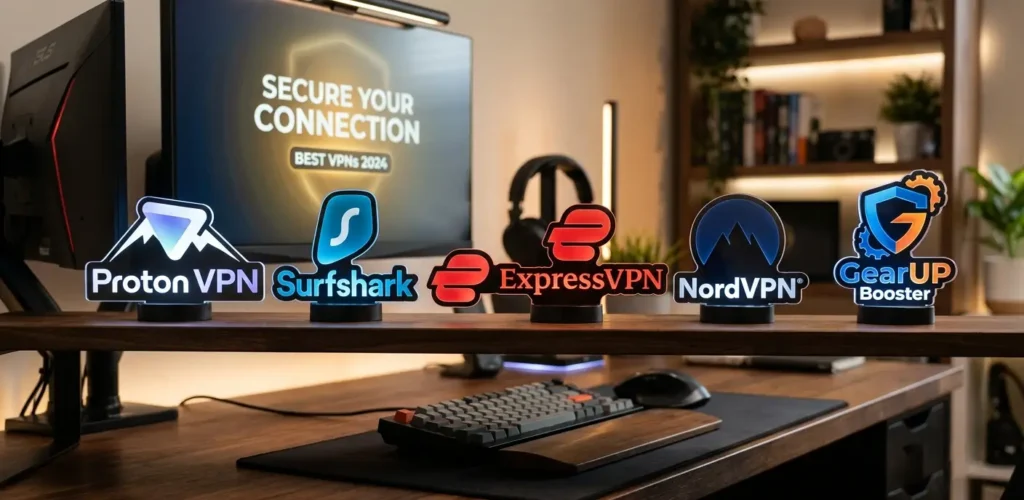
1. GearUP Booster — Best for BGMI — 9.5/10
Ping: 20–40ms in India | Price: $3.99/month, 3-day free trial
The most consistent of the bunch. Since it’s a purpose-built booster and not a general VPN, it only reroutes game traffic instead of your whole phone’s internet, so it feels lighter and the ping stayed steady match after match.
2. NordVPN — Best Value — 9.2/10
Ping: 30–50ms | Price: $3.09/month on the 2-year plan
A solid all-rounder. It’s a proper, independently audited no-logs VPN with plenty of Indian server options — a good pick if you also want to use it outside gaming, like for privacy or streaming.
3. ExpressVPN — Best Premium — 9.1/10
Ping: 35–55ms | Price: $6.25/month (currently discounted)
Reliable, rarely dropped a connection during testing, but you’re paying a real premium for that reliability compared to the dedicated boosters on this list.
4. Surfshark — Best Budget — 8.8/10
Ping: 45–65ms | Price: $2.49/month, unlimited devices on one plan
Great if you’re covering multiple phones or a family’s devices on a budget. Ping crept up during busy evening hours in testing, so it’s not the pick for a serious ranked grind, but it’s fine for casual play.
5. Proton VPN — Only Free VPN Worth Using — 8.0/10
Ping: 80–120ms on free servers | Price: Free, no data cap
Note: Its free tier is actually worth using something quite rare, as most free VPNs either sell your data or cut off the connection after 1–2 GB of usage. However, since free servers are shared among many users, speeds become noticeably slow. So, while it’s fine for casual matches, relying on it for a tight ranked game wouldn’t be a good idea.
The free tier is genuinely usable, which is rare most free VPNs either sell your data or cut you off after a gig or two. But the free servers are shared with a lot of people, so it’s noticeably slower. Fine for chill matches, not something to trust in a close ranked game.
How to fix high ping in BGMI
Here are the real problems these tools solve:
- Lower and stable ping
Instead of using the ISP’s default route, a VPN finds a cleaner path.
This results in a ping improvement of 20–50ms.
- Avoiding ISP throttling at night
Many Indian ISPs secretly throttle gaming traffic at night when everyone is home and the network is congested.
A VPN bypasses this throttling.
- Overcoming network blocks
Hostel Wi-Fi or office networks often block gaming ports unnecessarily.
A VPN tunnels around these blocks (bypassing them).
- Fewer mid-match disconnects
It reduces those random disconnects that occur during a fight and cause you to lose the match.
- Some protection against DDoS attacks
This is common in ranked squad matches where a rival player might directly target your IP address.
A VPN hides your real IP, leaving nothing for the attacker to target.
One important point:- Not every VPN is designed for this purpose. VPNs built for streaming or browsing often increase latency instead of reducing it. Therefore, having gaming-specific features is more important than just the brand name.
What “How These Were Tested” means:
How the testing was conducted:
- Tested on BGMI’s Mumbai/Delhi servers
- Used a standard Indian broadband connection (no special or fancy setup)
- Played the game normally
Testing process:
- Played both Classic and Ranked matches
- Each session lasted over 20 minutes
- Testing spanned several days (not just a single day)
- Tested during evening peak hours as that is when lag and connectivity issues are most frequent
What was monitored:
- Average ping (time taken for the signal to reach the server)
- Packet drops (checking if any data was lost in transit)
- Mid-match disconnects (checking if the game disconnected while playing)
An important distinction noted:
- Was the tool a full VPN or a game booster?
- A booster handles only game-specific data
- A VPN tunnels the entire internet connection (routing all traffic)
- Consequently, boosters usually have less overhead (meaning less extra load and better speed)
Simple summary: Testing was conducted under real-world conditions—using actual servers and connections during peak hours—to ensure the results were reliable and practical, rather than merely theoretical.
Free VPN vs Paid VPN-What Actually Changes
| Feature | Free VPN (Standard) | Paid VPN / Game Booster |
| Ping | 100–250ms, high | 20–60ms, low |
| Data Limit | 500MB–10GB (Proton’s the exception) | Unlimited |
| Security | Often logs or sells data, lots of ads | No-logs policy, no ads |
| Stability | Disconnects mid-match fairly often | Rarely drops |
| Servers | Limited, usually overcrowded | Dedicated, gaming-optimized routes |
One habit that actually matters: turn the VPN or booster on before you open BGMI, not while you’re already in a lobby. Switching it on mid-session is more likely to trip a temporary connection flag than actually help.
What Actually Makes a VPN Good for Gaming
Before you pick one, it helps to know what separates a genuinely useful gaming VPN from a generic one.
- Low latency, not just fast speeds. Download speed barely matters for BGMI. What matters is ping and jitter (how stable that ping is). A VPN bragging about huge bandwidth can still add 40–80ms if its routing isn’t built for real-time traffic.
- A large, well-placed server network. More servers closer to your actual location mean shorter travel distance and lower ping. Server proximity matters more than total server count.
- Stable connections, no mid-match drops. A dropped connection can boot you from BGMI entirely, sometimes with an in-game penalty. Good providers use auto-reconnect and stable protocols to avoid this.
- Modern, lightweight protocols. WireGuard and Lightway are built for speed with lower overhead than older protocols like OpenVPN — this directly affects how much delay the VPN adds.
- Built-in DDoS protection. Competitive players get targeted a lot. Masking your real IP is a meaningful layer of defense here.
- Works well with mobile and emulators. BGMI gets played on phones and PC emulators alike, so look for stable Android, iOS, and Windows apps.
- A no-logs policy. Since a VPN sees all your traffic, an independently audited no-logs policy is a real trust signal, not just marketing.
Which One Should You Pick?
- Just playing casually and don’t want to spend anything → Proton VPN’s free plan is fine.
- Grinding rank and care about every millisecond → GearUP Booster or NordVPN.
- Stuck on a hostel or office network that blocks BGMI → any of the top three paid options will get you through it.
- Want something for general browsing and privacy too, not just gaming → NordVPN or ExpressVPN make more sense than a gaming-only booster.
- Using an emulator on PC → make sure your pick has a stable Windows client and ideally split tunneling, so only your emulator’s traffic goes through the VPN.
How to Set One Up (Quick Steps)
- Pick a server close to your real region — for BGMI’s Indian servers, that usually means Mumbai, Delhi, or Chennai, or just auto-select if the app offers it.
- Switch to a gaming-friendly protocol like WireGuard in the app’s settings, if it lets you choose.
- Turn on split tunneling if it’s available, so only BGMI (or your emulator) runs through the VPN instead of your whole connection.
- Check your in-game ping before jumping into ranked, just to confirm the connection is actually stable.
- Keep the app updated so it stays compatible with the latest BGMI patches.
Common Mistakes That Make Lag Worse, Not Better
- Connecting to a server far from your actual location, which just adds distance
- Picking an overloaded server without checking real-time load, if the app shows it
- Leaving the protocol on default settings instead of switching to something faster like WireGuard
- Running other heavy apps in the background while playing
- Choosing a VPN on price alone without checking real gaming performance
FAQs: Best VPN for BGMI
Which server should I connect to for the lowest ping? BGMI’s Indian servers run out of data centers around Mumbai, Delhi, and Chennai, so stick to an Indian server, or auto-select if your app has that option. Connecting to Singapore or the US will actually hurt you here your traffic has further to travel, so ping can jump to 80–100ms or worse.
Am I going to get banned for using a VPN? This is the one to actually pay attention to. BGMI is licensed for play inside India. If you use a VPN to make it look like you’re playing from another country to dodge regional restrictions or access a version of the game not meant for you that’s region-bypass, and Krafton can hit accounts with long-term or permanent bans for it. Using a VPN or booster just to fix your routing or get past a blocked local network, while you’re still physically in India, is a different situation and is what these tools are actually built for. That said, you’re using any third-party tool at your own risk, and Krafton’s terms can change, so it’s worth a quick check before you rely on one.
Can a VPN get my BGMI account banned in general? Standard use for connection stability and privacy typically doesn’t violate the game’s policies. It’s specifically using a VPN to fake your region or dodge restrictions that risks a ban.
Do pro players use VPNs in tournaments? No — in official events like BGIS, using a VPN or any network tool is against the rules and can get you disqualified on the spot. Boosters show up a lot more in regular rank-pushing than in actual competitive play.
Which VPN protocol is best for gaming? WireGuard and Lightway are currently the go-to choices, thanks to lower overhead and faster connections compared to older protocols like OpenVPN.
Can a VPN make my ping worse instead of better? Yeah, easily. If you pick a far-off or overloaded server, you’re adding distance and congestion instead of removing it. A VPN only helps when its route is genuinely better than your ISP’s that’s why a booster that auto-picks the least congested nearby server tends to beat a generic VPN where you’re manually choosing.
Do I even need one if my Wi-Fi already feels fine? Not necessarily. These tools fix routing problems and blocked networks — they don’t magically make good internet better. If your ping’s already low and consistent, adding a VPN can sometimes make things slightly worse. Worth checking your normal ping before assuming you need one.
Will a VPN work with BGMI on an emulator? Yes, as long as it has a stable desktop client and ideally split tunneling, so it only affects your emulator’s traffic instead of your whole system.
looking for more fitness and nutrition comparisons? Explore our latest fitness guides to make better choices for your health and fitness goals.
Sign in to share your opinion
Sign in with Google